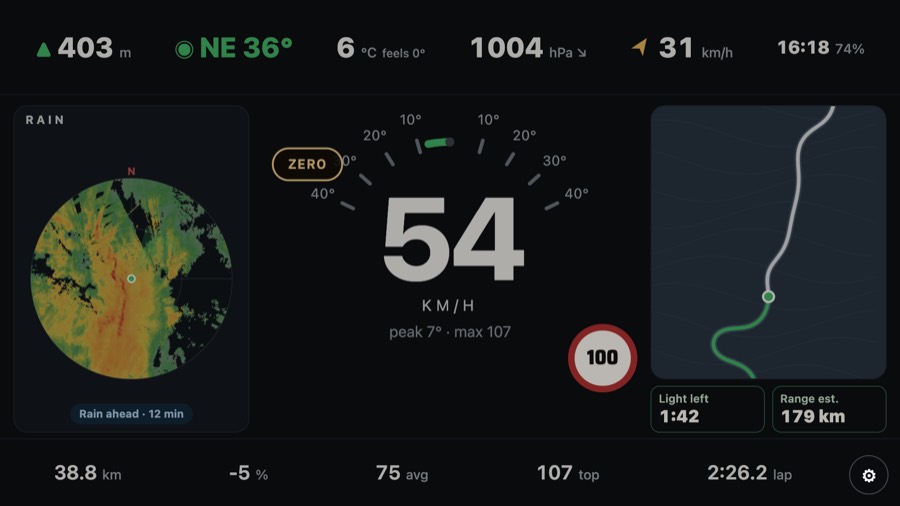
Measure your lean angle on a motorbike
Throttler reads your lean angle from the phone's motion sensors and GPS while you ride, and keeps your peak lean to the left and to the right.
How to set it up
- Mount the phone on the bars, upright or sideways. Every dash works in portrait and landscape.
- Open Throttler, choose Motorbike as the vehicle, and pick a dash. Touring, Apex and Gauge are free.
- Ride. The lean reading moves as you tip in; the peaks stay until you reset the trip.
What else the bike dashes show
- GPS speed in km/h or mph, trip, average and top speed
- Felt wind and rider wind chill at your own speed
- Light left: a countdown to sunset
- A speed alert at the speed you set, spoken out loud
How accurate is it?
A phone on a mount shakes, so Throttler filters the vibration out before it shows a lean. A real lean comes through within a few seconds; buzz from the engine does not. Treat it as a guide to how you ride, not a lab measurement.
Get Throttler on Google PlayFree on Android. Pro is $0.99 USD a year.